Google Photos finally lets you turn off its most annoying visual effect - Android Authority
What the report says
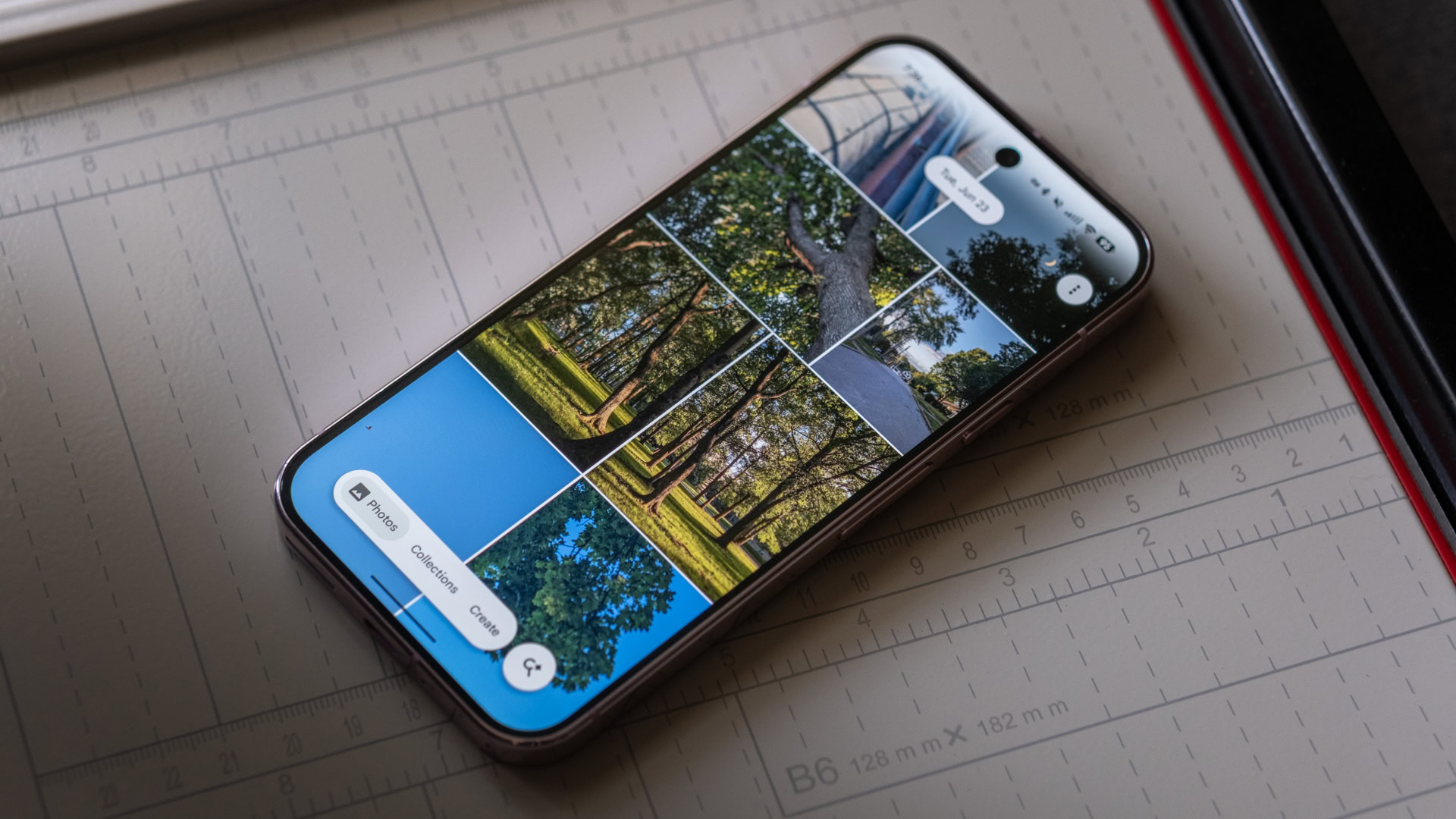
Android Authority reports that Google Photos has added a setting that lets users disable the app’s shimmer animation, a visual effect that appears across photos in the gallery. The publication said the option is arriving with Google Photos version 7.85 and is aimed at people who prefer a cleaner, more static browsing experience.
According to the report, the shimmer effect remains enabled by default, so users who do not want it must switch it off manually. Android Authority says the control can be found in the Google Photos app by tapping the profile icon, opening Photos settings, going to Preferences, selecting Photos view, and turning off the “Show shimmer” toggle. The author noted seeing the setting after updating the app on an OPPO Find X9 Pro, and advised users who do not see it to check whether they are on version 7.85 or a newer build.
The change follows Android Authority’s earlier reporting that Google was preparing such a toggle. While the update is relatively small, it matters because it gives users more control over the interface of a widely used photo-management app. The shimmer effect was designed to make photos feel more dynamic and is tied to sticker creation, but Android Authority described it as potentially distracting for people scrolling through memories or searching for a specific image.
The report also says Google has added a new shortcut in Google Photos for quickly capturing images for AI-powered edits. Android Authority did not frame the update as a major redesign, but as part of Google’s continued adjustments to Photos features and user controls.
Loading debate for this article…
Other publishers covering this story
No additional verified coverage is currently clustered with this report.
Related reporting
 Joshua Baraka promises gym work after AI video goes viralSqoop Uganda
 Government seeks two more weeks to resolve Wi-Fi Hotspot licensing disputeThe Independent Uganda
 Putin hails Musk’s genius, talks of Akkuyu nuclear plant proposalsThe Independent Uganda
 Internal Affairs Ministry Explores Biometric Technology Partnership With AratekNile Post
 Service Cops powers technology behind Kwaata Sente digital lending solution - PML DailyPML Daily
 UCAA, Uganda Airlines Rally Girls to Pursue Aviation CareersSoftPower News